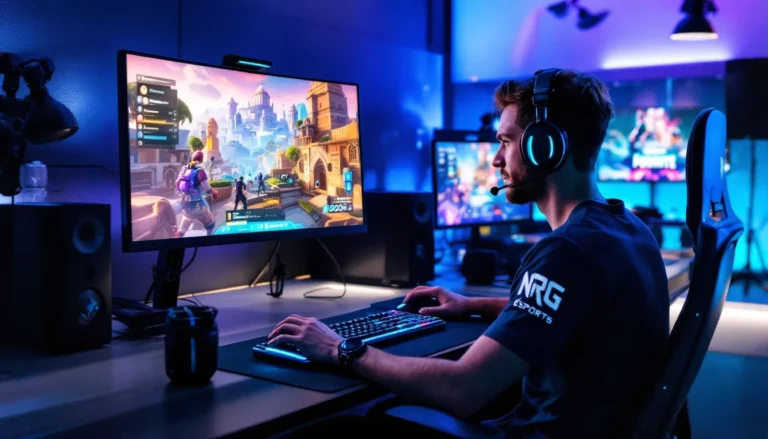
Fortnite fans, gather ’round! If you’ve ever found yourself staring at the loading screen longer than you’d like to admit, you’re not alone. The thrill of dropping into the Battle Bus and outsmarting opponents is a rush, but what happens when Fortnite won’t update? It’s like waiting for a pizza delivery that’s lost in transit—frustrating and downright maddening!
Common Reasons Fortnite Won’t Update
Fortnite players often face update issues, leading to frustration. Several factors contribute to this problem.
Server Issues
Server outages frequently disrupt game updates. When Epic Games’ servers experience high traffic or technical difficulties, downloads can stall. Players often notice this during peak gaming hours. Connections may drop or slow down, preventing successful updates. Checking the official Fortnite Twitter page or forums can provide real-time status updates and outage notifications.
Device Compatibility
Device compatibility plays a crucial role in update success. Players using outdated hardware or software versions may encounter issues. Different consoles, PCs, and mobile devices may require minimum specifications for the latest updates. Running incompatible operating systems can block the update process entirely. Ensuring devices meet Fortnite’s requirements helps prevent these problems.
Troubleshooting Steps

Players experiencing update issues with Fortnite can follow specific troubleshooting steps to resolve their problems. Each method addresses common factors that lead to update failures.
Check Your Internet Connection
A stable internet connection is crucial for downloading updates. Start by examining the Wi-Fi signal strength on your device. Weak signals often result in incomplete updates. It’s also beneficial to test other devices connected to the same network; this checks if the issue is network-wide. Restarting the router may improve connectivity. If an Ethernet connection is available, switch to wired to enhance stability. Players can also check speed test websites to confirm download speeds meet the requirements for Fortnite updates.
Restart the Game and Device
Game glitches can also interfere with updates. Restarting Fortnite can often clear minor issues. Closing the game completely ensures that no background processes hinder the update. Turning off the device provides a fresh start, which can resolve temporary software conflicts. Players should then launch Fortnite again to see if the update initiates. If problems persist, trying to reboot the device one more time may solve persistent issues. This simple step serves as a quick fix for several technical glitches.
User Experiences and Feedback
Players often express frustration when Fortnite won’t update, particularly regarding prolonged loading times. The community frequently discusses their experiences on forums and social media, sharing the irritation caused by delays. Many players highlight server issues, especially during peak hours when download speeds slow down. Those with outdated devices report additional challenges, as compatibility affects their ability to receive updates.
Community Reactions
Community reactions show a mix of humor and exasperation. Players post memes that depict their struggles, making light of the situation despite their annoyance. Many share tips based on personal experiences, offering advice to others facing similar issues. A common theme emerges: players appreciate guidance but desire a faster resolution from the developers.
Support Responses
Support responses vary, with some teams addressing concerns quickly while others lag behind. Players report receiving automated replies that lack specific solutions. Personalized responses, when provided, often include troubleshooting steps similar to those mentioned in articles and guides. Many players appreciate this attention, but a quicker update process remains a significant request within the community.
Future Updates and Expectations
Fortnite players eagerly anticipate future updates that promise to enhance the gaming experience. Developers frequently introduce new features that keep gameplay fresh and exciting.
Upcoming Features
Players look forward to exciting new content, including gameplay modes, characters, and skins. Future updates could introduce cross-platform enhancements, making it easier for friends to connect regardless of their device. Seasonal events likely will feature exclusive rewards tied to specific challenges. Improved graphics and performance optimizations may also be on the horizon, aimed at ensuring smoother gameplay even during peak hours.
Dev Team Statements
Statements from the development team often provide insights into update timelines and expected features. They emphasize their commitment to addressing player feedback effectively and promptly. Regular announcements suggest updates will focus on reducing loading times and ensuring seamless patch installations. Following community discussions, developers pledge to enhance server stability to minimize delays. Transparency remains a priority, with the team working to keep players informed about ongoing improvements.
Conclusion
Fortnite players face a myriad of challenges when updates don’t go as planned. The frustration of waiting for a game to load can dampen the excitement of new content. By understanding the common issues that lead to update delays, players can take proactive steps to mitigate these problems.
With a commitment from developers to improve server stability and streamline the update process, the future looks promising. Players can look forward to more engaging content and smoother experiences. Staying informed about troubleshooting methods and system requirements can enhance gameplay and reduce downtime. As the community continues to share their experiences and solutions, the hope for a more seamless update process remains strong.